Your whole creator business, in one file
Turn one idea into drafts for eight platforms, schedule them, price your sponsorships, track your income, and publish a media kit and link page. It opens in your browser, works offline, and keeps your data on your device.
One-time payment in crypto. Single-user commercial license.
- 8 platforms from one ideaX, Instagram, TikTok, YouTube, Telegram, LinkedIn, Threads, Pinterest
- Works offlineOpen the file, no server needed
- No account, no subscriptionPay once, use it on your own devices
- Your data stays putSaved in your browser, never uploaded
Everything a solo creator juggles, in one workflow
Write an idea once and carry it from draft to calendar to sponsorship to income. These are screenshots of the real tool, filled with sample data.
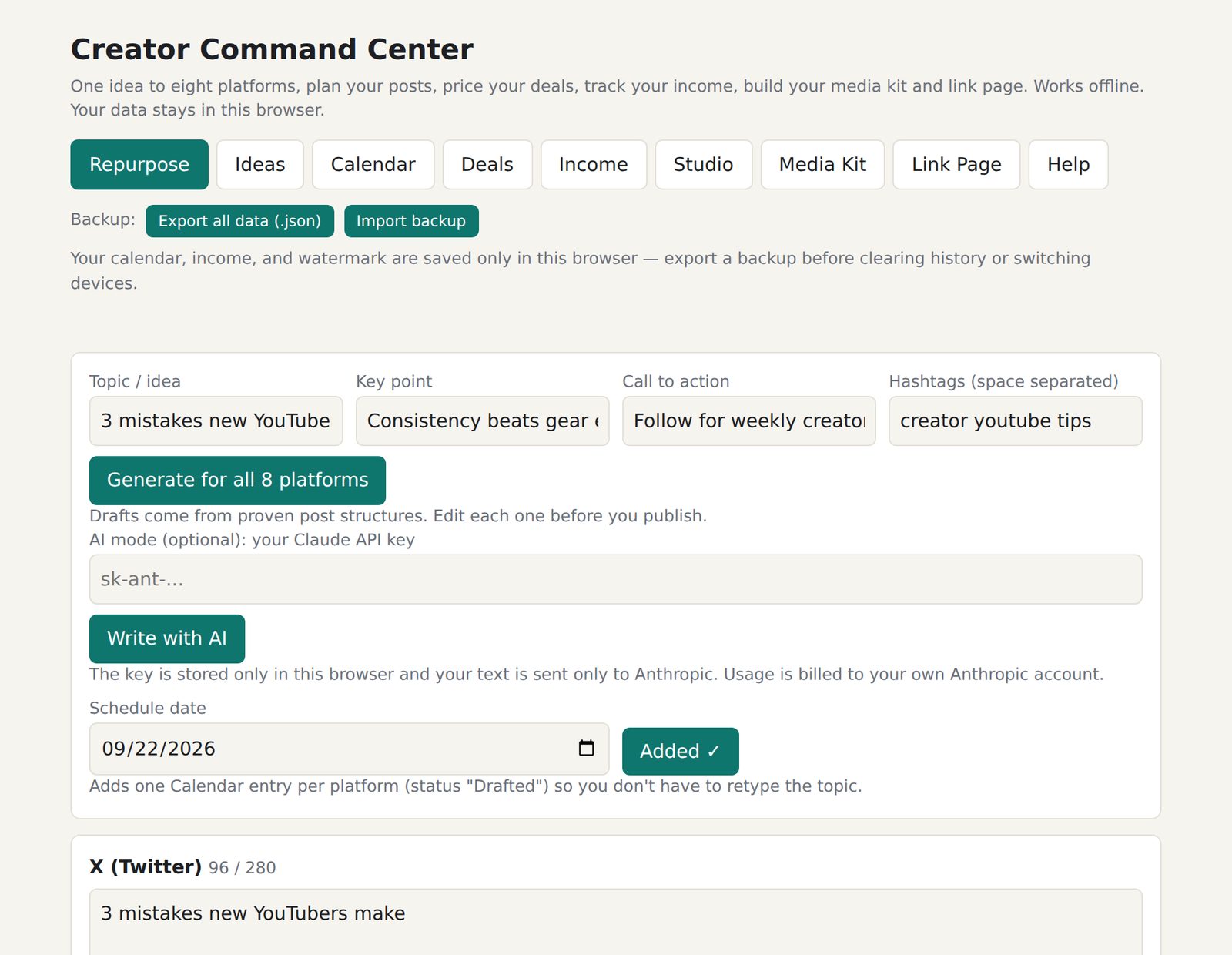
One idea in, eight drafts out
Enter a topic, the key point, a call to action and your hashtags. You get a draft for each platform, built on a post structure that suits it. Edit each one before you publish.
- Live character counts, like 96 / 280 on X
- Add all 8 drafts to your calendar in one click, marked Drafted
- Optional Write with AI, using your own Claude API key
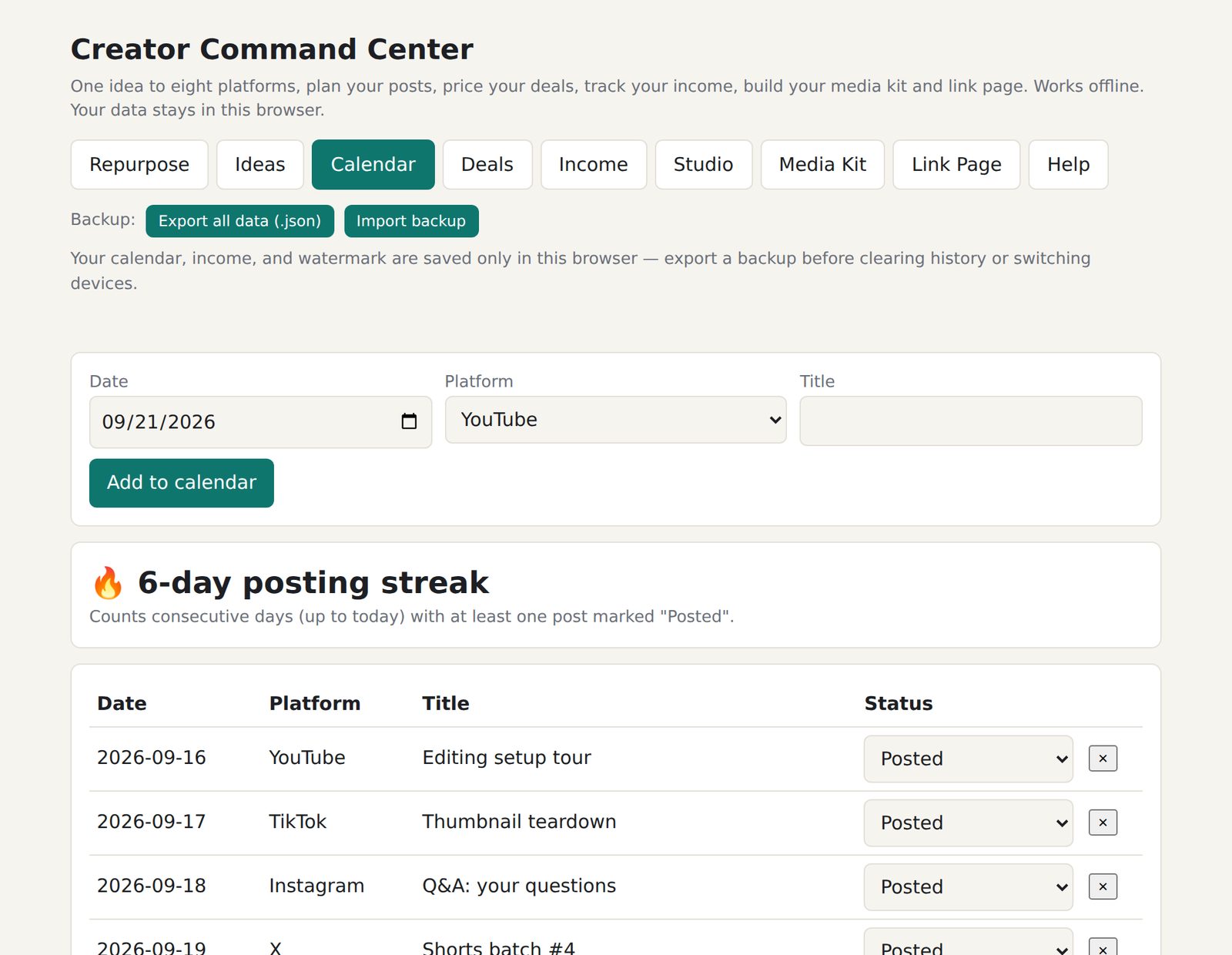
Ideas, a calendar and a posting streak
Park ideas in the idea bank until you're ready, then send any of them to Repurpose. Give every post a date, a platform and a status: Idea, Drafted, Scheduled or Posted.
- Posting streak counts consecutive days with a post marked Posted
- Send an idea straight into Repurpose
- Back up everything with one Export button
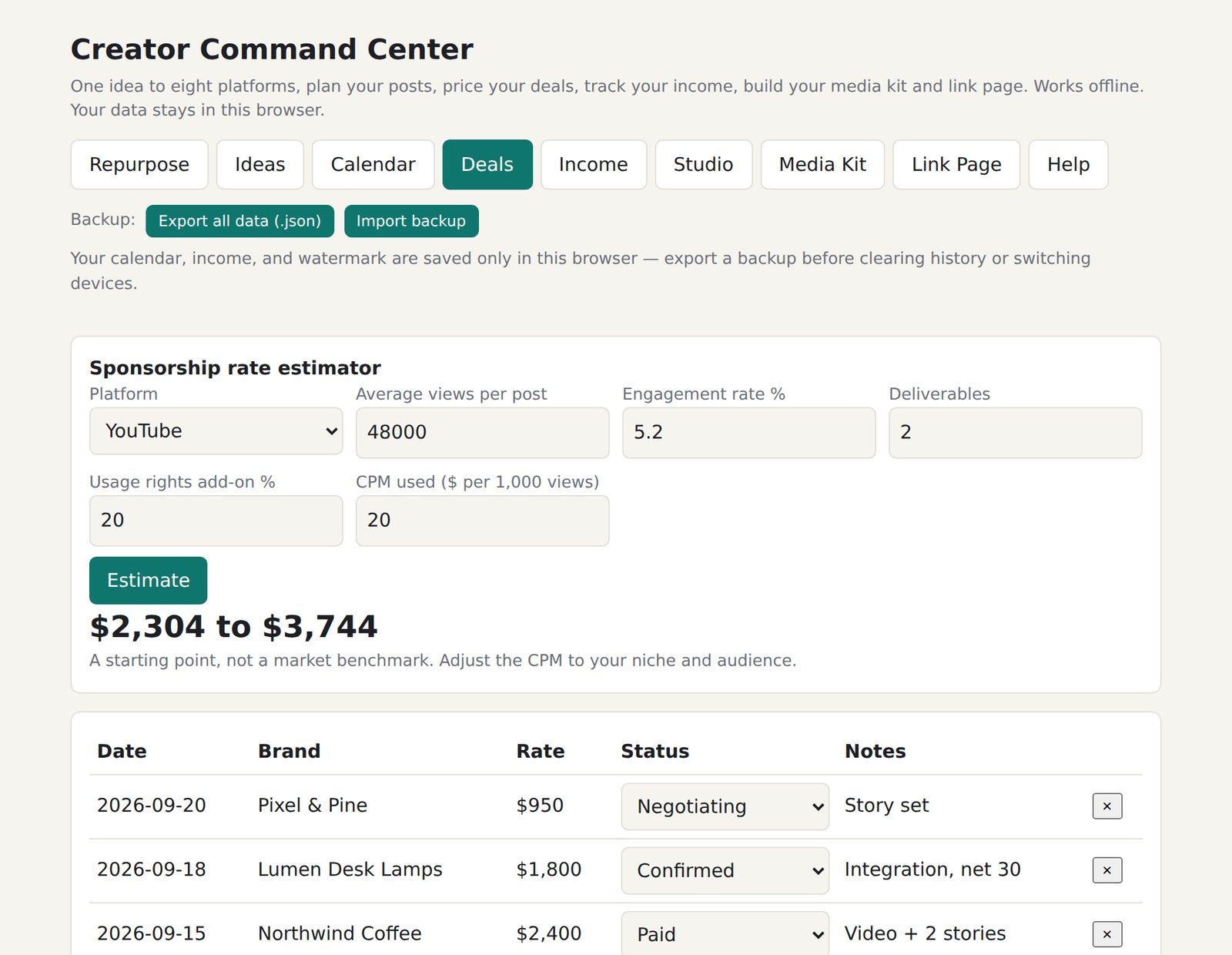
Price a sponsorship, pitch it, track it
Enter your average views, engagement and deliverables to get a starting price range. Then write the pitch email and log the deal.
- Adjustable CPM and a usage-rights add-on
- Pitch email drafted from the brand, product, offer and rate
- Pipeline statuses: Contacted, Negotiating, Confirmed, Declined, Paid
Know what you earned and what to set aside
Log each payment by source and platform. The tool totals it for you and shows a tax set-aside based on the percentage you choose.
- Totals overall and per platform
- Adjustable tax percentage, a planning number rather than tax advice
- Export to CSV for your accountant
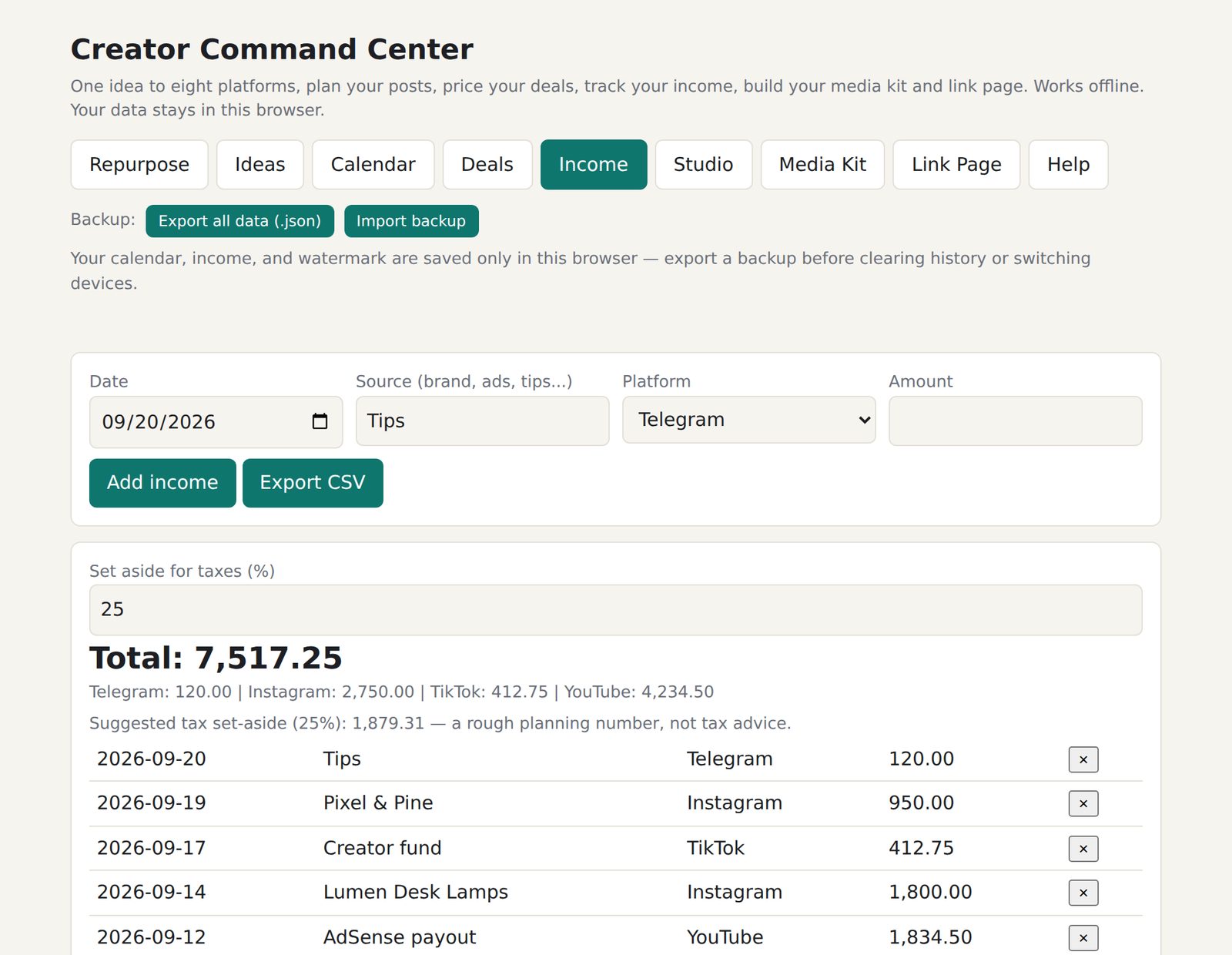
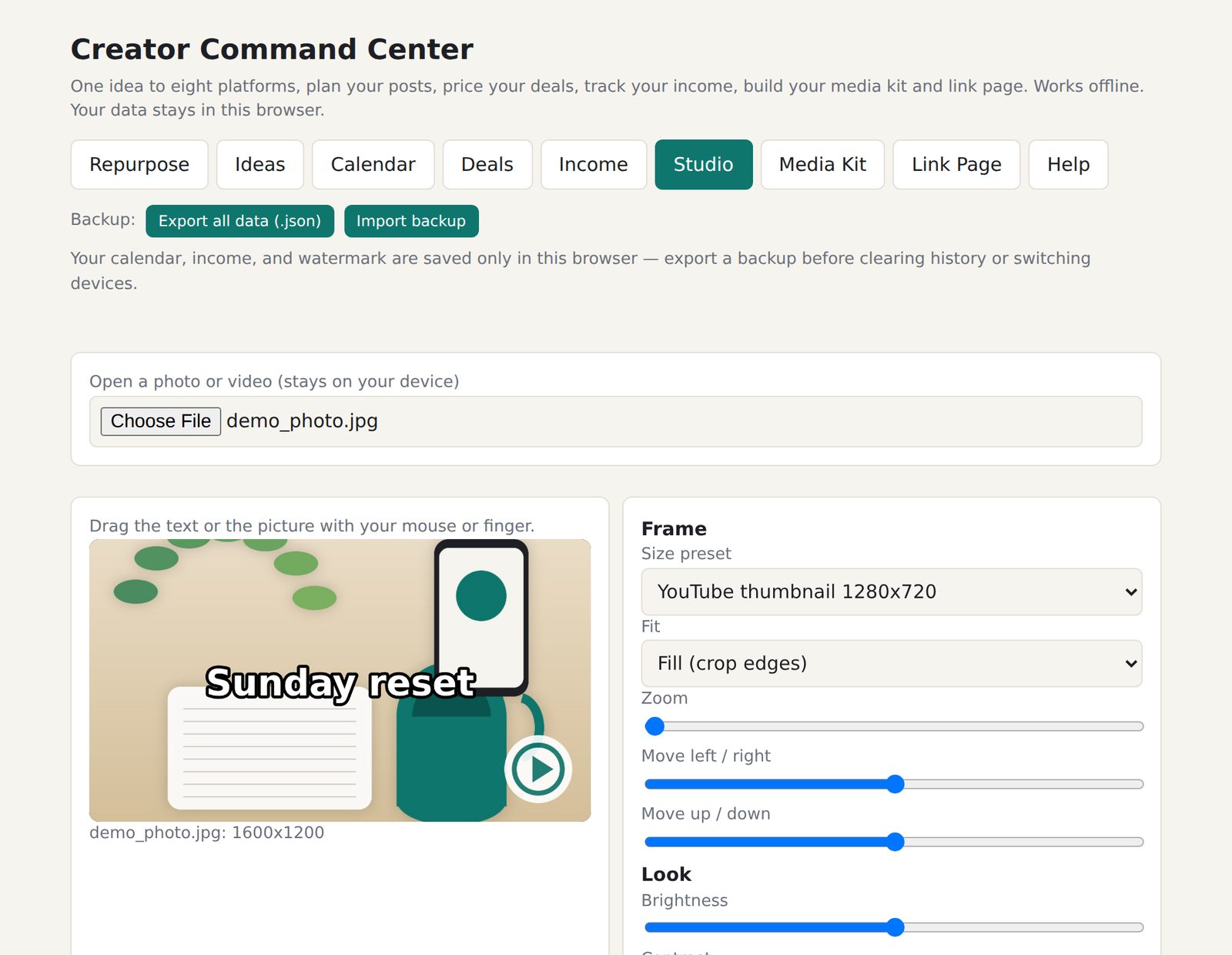
Photo and video, sized for every platform
Open a photo or video, pick a preset, drag the picture or text into place and export. Files are processed on your device and are not uploaded.
- Presets for Instagram, Story/Reel/TikTok/Short, YouTube thumbnail, X and square, or download all five sizes at once
- Brightness, contrast, saturation, blur, text, and a logo watermark it remembers
- Video trim, background music, burned-in captions, plus in-browser background removal and auto-captions
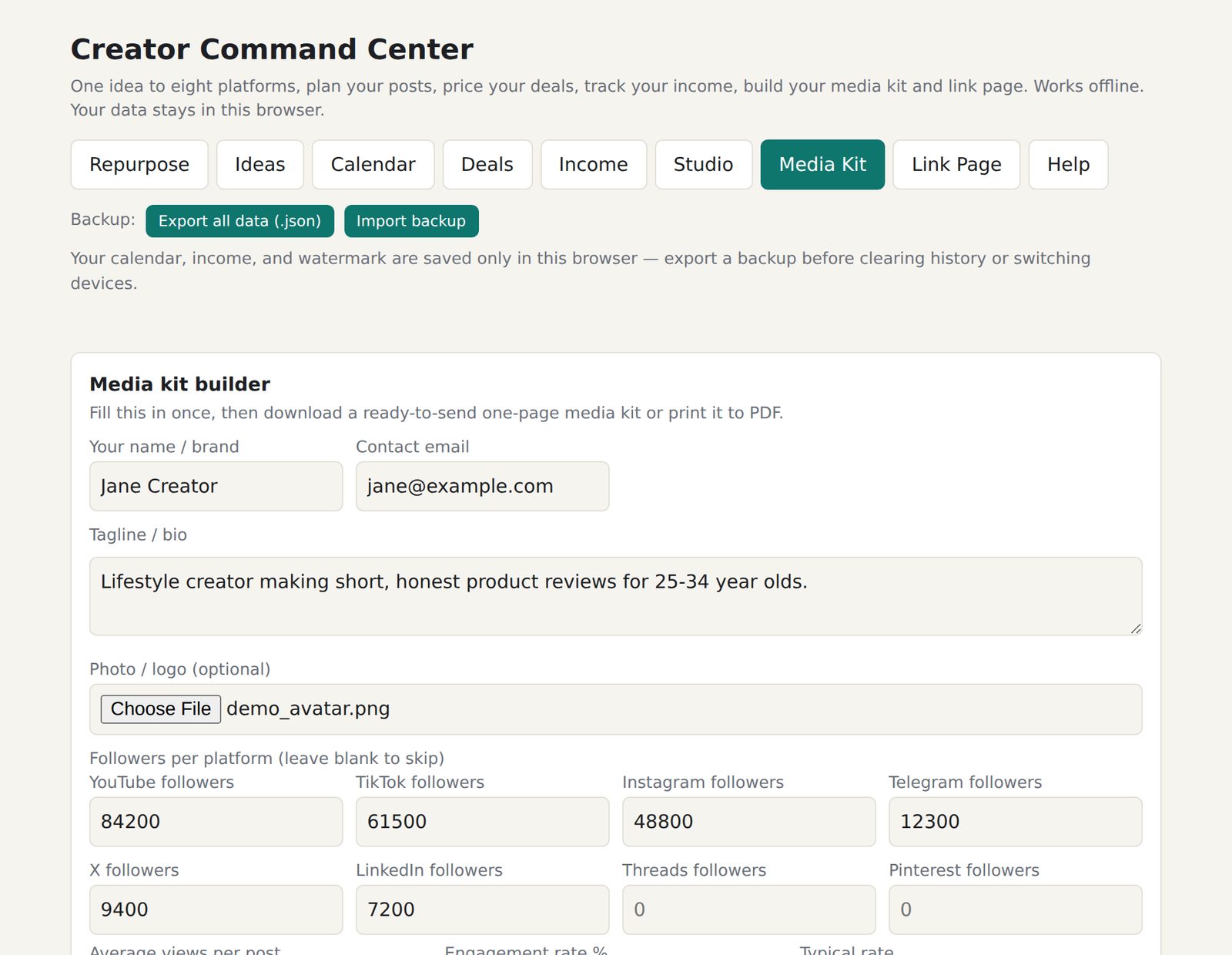
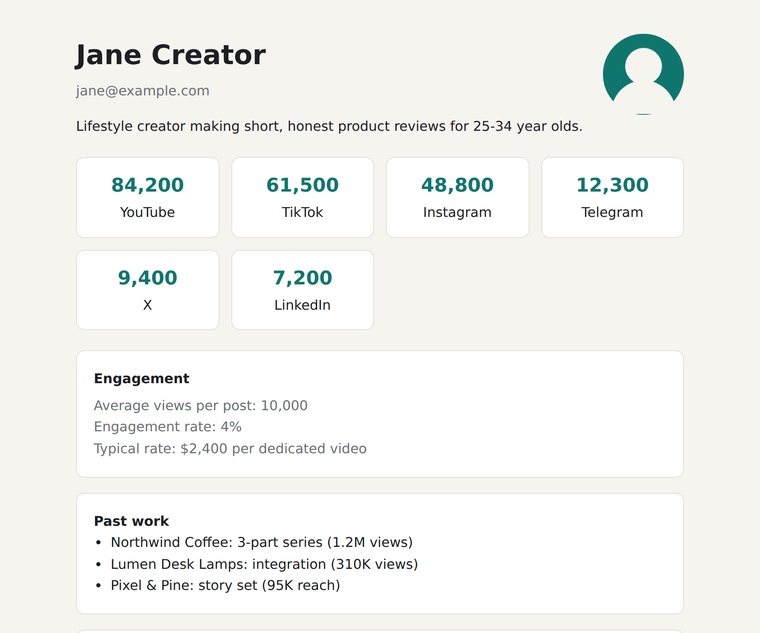
A media kit you can send today
Fill in your stats, bio and past brands once. Download a one-page kit as a standalone file, or open the print view and save it as a PDF.
- Followers per platform, average views, engagement and typical rate
- Past brands and highlights
- Attach it to an email or host it anywhere
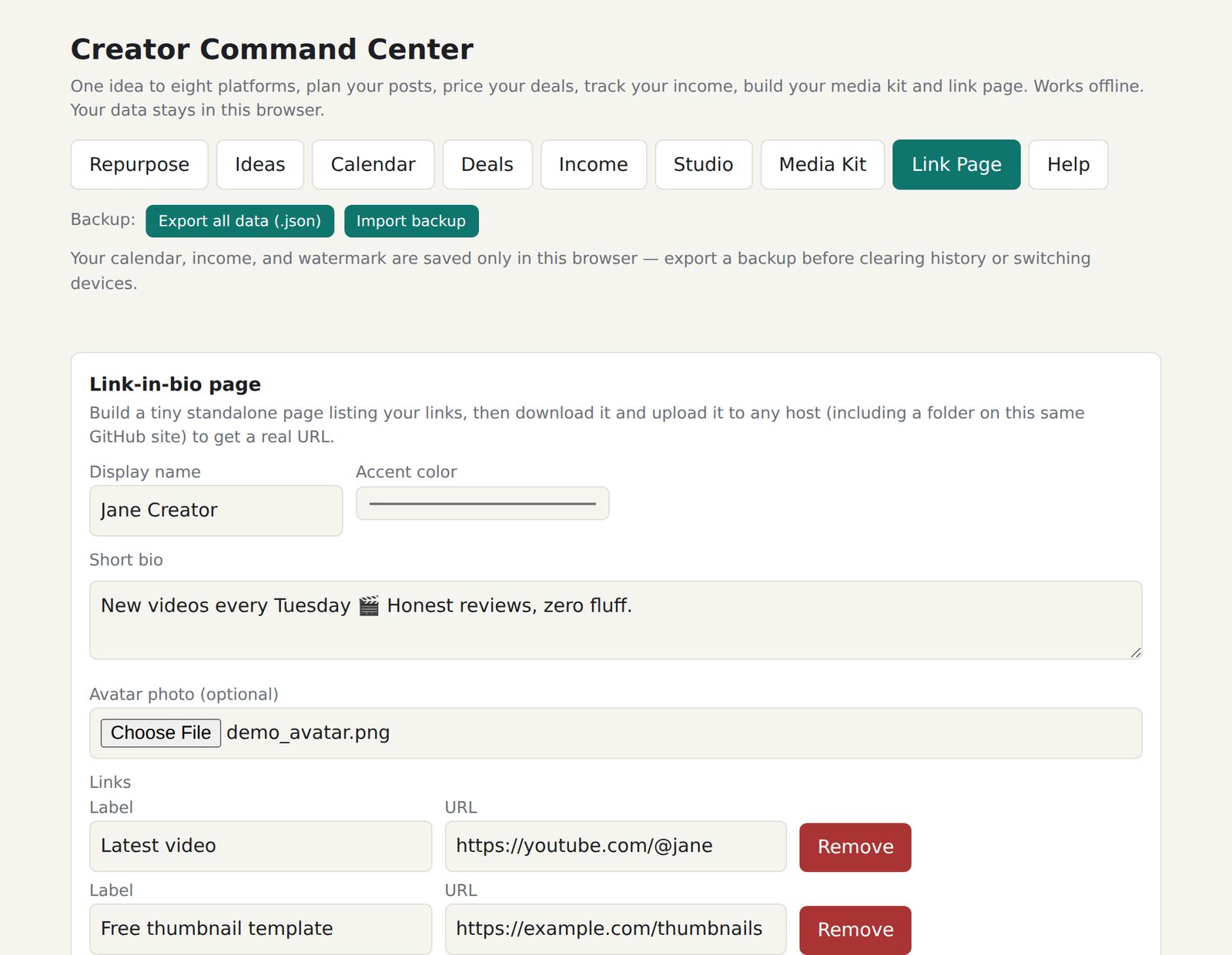
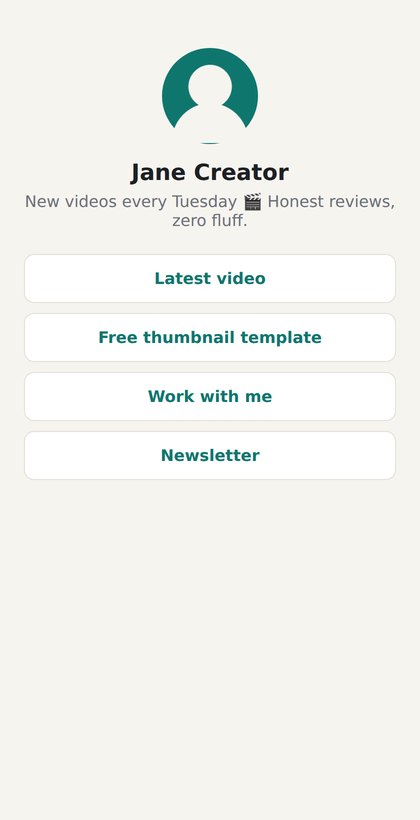
Your own link-in-bio page
Add a name, bio, avatar, accent color and as many links as you need. Download a complete page and upload it to any host, including a folder on your own site.
- No build step: the download is one self-contained page
- As many links as you like
- A real URL on your own hosting
Good to know before you buy
A few honest details, so the tool fits how you work.
- It's one HTML file, not a hosted app
- You get a single file to open in your browser or upload to your own site. There's no login and no server on our side.
- Your data lives in your browser
- Your calendar, income, deals, ideas and logo are saved in this browser only. Use Export all data at the top of the page regularly, and before you clear history or switch devices. Import backup restores it.
- Video export depends on your browser
- Export uses your browser's built-in recorder. It works in current Chrome, Edge and Firefox. Safari and iPhone may not support it. Export runs in real time, so a 30-second clip takes about 30 seconds.
- Two AI tools download a model once
- Background removal and auto-captions fetch a model of about 40 MB the first time you use them, so you need internet for that moment. After that they work offline. Some school and office networks block the download.
- AI writing is optional and uses your key
- The Write with AI button sends your text to Anthropic with your own API key, billed to your own Anthropic account. The built-in draft generator works without it.
- Estimates are starting points
- The rate estimator is not a market benchmark, and the tax set-aside is a planning number, not tax advice.
What's in the download
A small zip. Unzip it, open the HTML file in your browser, and you're working.
creator-command-center.htmlThe complete tool in one fileREADME.txtQuick start, backups and browser notesLICENSE.txtSingle-user commercial licenseCHANGELOG.txtWhat changed in each version
Pay once. Run your creator business from it.
No subscription and no per-seat pricing. Use it for your own creator business, on your own devices.
- All eight workspaces, plus backup and restore
- README, license and changelog
- Single-user commercial license
Your download starts automatically as soon as the payment confirms. Please don't resell or redistribute the file. Anything you create with it, like your media kit and link page, is yours.
Questions
How do I pay, and how do I get the file?
Choose Buy, pick Bitcoin, Ethereum, or USDT (ERC-20 or TRC-20), and the checkout shows the amount, a wallet address and a QR code. When the payment confirms, your download starts automatically. There is no account to create.
Do I need to install anything?
No. Unzip the download and open creator-command-center.html in your browser, or upload it to your own site and open it from there.
Does it need an internet connection?
No, it works offline. There are two exceptions: the optional Write with AI button, and the first use of background removal or auto-captions, which download a model of about 40 MB that your browser then keeps.
Where is my data stored, and can I move it?
In your browser's local storage on your device. Nothing you type or upload is sent to a server. Use Export all data (.json) to make a backup and Import backup to restore it on this device or a new one.
Do I need an AI account to use it?
No. The draft generator works on its own. If you want AI-written drafts, paste your own Claude API key into the AI mode field. Usage is billed to your Anthropic account, and the key is stored only in your browser.
Which browsers work?
It's built for current Chrome, Edge and Firefox. Video export relies on the browser's recorder, which Safari and iPhone may not support.
Can I use it on more than one computer?
Yes, on your own devices. The license covers one person running their own creator business. Please don't resell, redistribute or re-publish the file itself.
How accurate is the rate estimator?
It's a starting point, not a market benchmark. It uses your views, engagement, deliverables and a CPM you can adjust to your niche and audience.